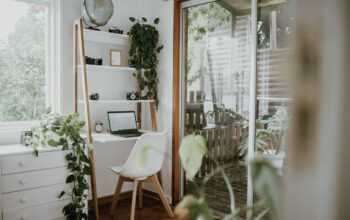
Creating a home office that is both cozy and productive can transform your work-from-home experience. When your workspace feels inviting and supports your tasks, it’s easier to focus and stay motivated throughout the day. Whether you’re setting up a completely new area or improving an existing space, these tips will help you design a home office that suits your needs and enhances your workflow.
Choose the Right Location
Consider Natural Light
Natural light can significantly improve your mood and energy levels. Try to set up your desk near a window so you can enjoy daylight without glare on your screen. If natural light is limited, invest in good-quality task lighting that mimics natural light to reduce eye strain.
Minimize Distractions
Find a spot in your home away from heavy traffic or noisy areas. A quiet environment helps you maintain focus, especially during calls and deep work sessions. If space is limited, noise-canceling headphones can be a handy alternative.
Invest in Comfortable Furniture
Ergonomic Chair
A supportive chair is essential to avoid back and neck pain. Look for adjustable options with good lumbar support and comfortable padding. Sitting well can improve your posture and keep you energized.
Functional Desk
Choose a desk that fits your space and offers enough surface area for your computer, notes, and any other tools you regularly use. Standing desks or adjustable-height desks can add flexibility if you want to alternate between sitting and standing.
Organize for Efficiency
Declutter Your Desk
Keep only the essentials on your desk to avoid feeling overwhelmed. Use trays, holders, or small containers to organize pens, paper clips, and other small items.
Use Shelves and Storage Solutions
Smart storage keeps your work area tidy and helps you find what you need quickly. Consider shelves, filing cabinets, or baskets to store documents and supplies neatly.
Personalize Your Space
Add Comforting Elements
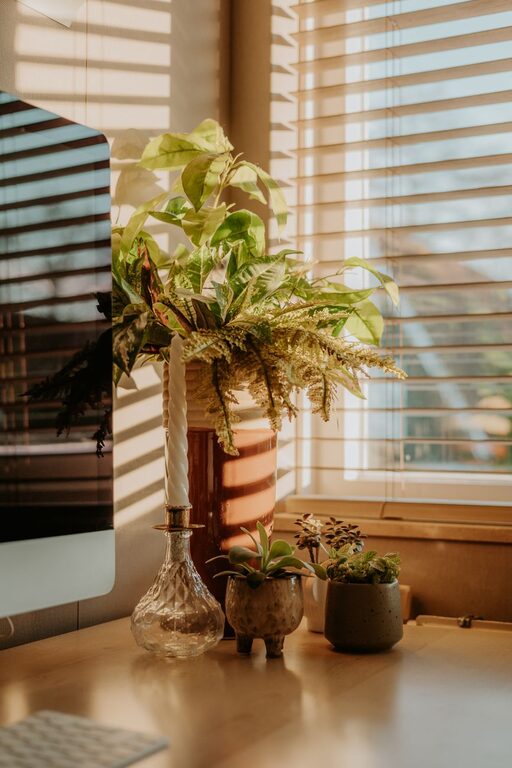
Incorporate items that make your office feel cozy, such as a soft rug, a small plant, or cushions. These touches create an environment where you enjoy spending time.
Display Inspiring Decor
Whether it’s artwork, motivational quotes, or family photos, choose decor that lifts your spirits and keeps you motivated. Just be careful not to overcrowd your workspace, which can become distracting.
Enhance Focus with Smart Technology
Reliable Internet and Equipment
Make sure your internet connection is stable and your computer and peripherals are up to date. Technical problems can interrupt your workflow and create frustration.
Use Productivity Tools
Apps for task management, time tracking, and note-taking can help you stay organized. Setting reminders and blocking distracting websites during work hours can also boost focus.
Maintain a Healthy Routine
Take Breaks
Remember to step away from your screen regularly. Short breaks improve concentration and reduce fatigue. Stretching or a quick walk can refresh your mind and body.
Keep Hydrated and Nourished
Having water and healthy snacks nearby supports your physical and mental well-being, contributing to sustained productivity.
Optimize Lighting and Ambiance
Layered Lighting
In addition to natural light and task lamps, consider ambient lighting options like soft overhead lights or decorative lamps. Layered lighting reduces eye strain and creates a welcoming atmosphere.
Control Noise Levels
If external noise is a problem, consider soundproofing options like rugs, curtains, or acoustic panels. Playing soft background music or white noise might also help you concentrate.
Final Thoughts
Your home office should be a place where productivity and comfort meet. By carefully selecting the location, organizing effectively, adding personal touches, and prioritizing your well-being, you can create a space that works for you. Experiment with different setups until you find what feels best, and enjoy working in a home office that supports both your professional and personal needs.